You sent a LinkedIn connection request. Seven days passed. Still no response. Sound familiar? Before you feel discouraged, here is the good news: this happens to everyone, and there is a smart, strategic way to handle it. This article covers exactly what to do when your LinkedIn connection requests are not being accepted, and how to build your network the right way going forward.
Why does this problem occur?
Most people press the “Connect” button on LinkedIn and wait. There’s no message, no context, no reason to accept the other person.
And then, seven days later, there’s frustration about why the request wasn’t accepted. The real issue isn’t that people are rejecting you, it’s that your request wasn’t convincing to them. This article is about fixing that.
Why LinkedIn Connection Requests Go Unanswered
Not everyone will accept your connection request, and that is completely normal. People are busy, some are inactive on the platform, some may mistake your request for spam, or they simply do not check their messages. There is no reason to feel discouraged.
Instead of waiting around, the smart move is to take control of your pending requests and approach your outreach more strategically.
How to Withdraw Pending Requests After 7 Days
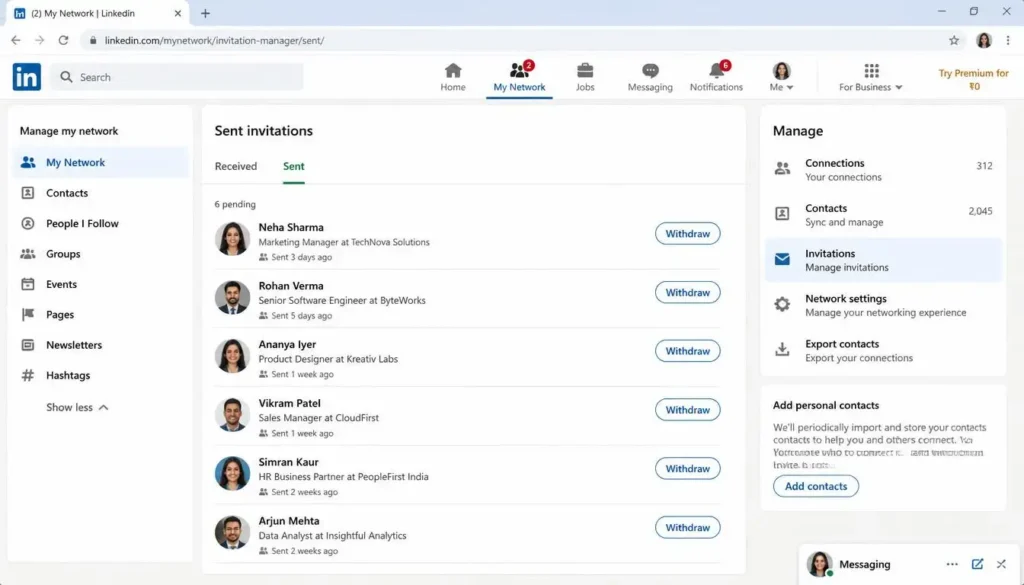
If someone has not accepted your connection request in seven or more days, you should withdraw it. Here is why this matters and how to do it.
Why withdraw? LinkedIn has a weekly connection request limit. If you leave too many requests pending, it eats into your limit and stops you from sending new ones. Withdrawing old, unanswered requests frees up your quota so you can keep networking.
Follow these steps to withdraw pending connection requests:
Step 1: Go to “My Network.” Click on the “My Network” tab in the top navigation bar of LinkedIn.
Step 2: Click “Manage.” On the right side of the screen, you will see a “Manage” option. Click on it.
Step 3: Switch to the “Sent” tab. By default, you will see received invitations. Click on the “Sent” button to view all the connection requests you have sent that are still pending.
Step 4: Withdraw the request. Next to each pending request, you will find a “Withdraw” button. Click it to cancel that invitation. Repeat this for all requests that have been sitting unanswered for more than seven days.
Pro Tip: After withdrawing, your pending count will drop immediately. This keeps your LinkedIn account healthy and your weekly limit available for fresh outreach.
Effective Strategies to Get Your Connection Requests Accepted
Simply clicking “Connect” and hoping for the best rarely works. Here are the strategies that actually improve your acceptance rate.
Send a Personalized Invitation
Instead of clicking the “Connect” button with no context, always include a short message with your invitation. A brief, genuine note goes a long way.
For example, you might write something like: “Hi [Name], I came across your profile and found your work really inspiring. I would love to connect and learn more from your journey.”
This small effort signals that you are a real person with a real reason to connect, not just someone mass-sending requests.
Real Example of a Personalized Message
If you’re a content writer looking to connect with a marketing manager, don’t write, “Hi, I want to connect with you.” This is generic and likely to be ignored. Instead, write, “Hi Sarah, I came across your post on content marketing strategy and found it really insightful.
I work as a content writer helping B2B brands grow their organic traffic. Would love to connect and learn from your experience.” This message is specific, relevant, and lets the other person know that you actually viewed their profile.
Warm Up the Profile Before Connecting
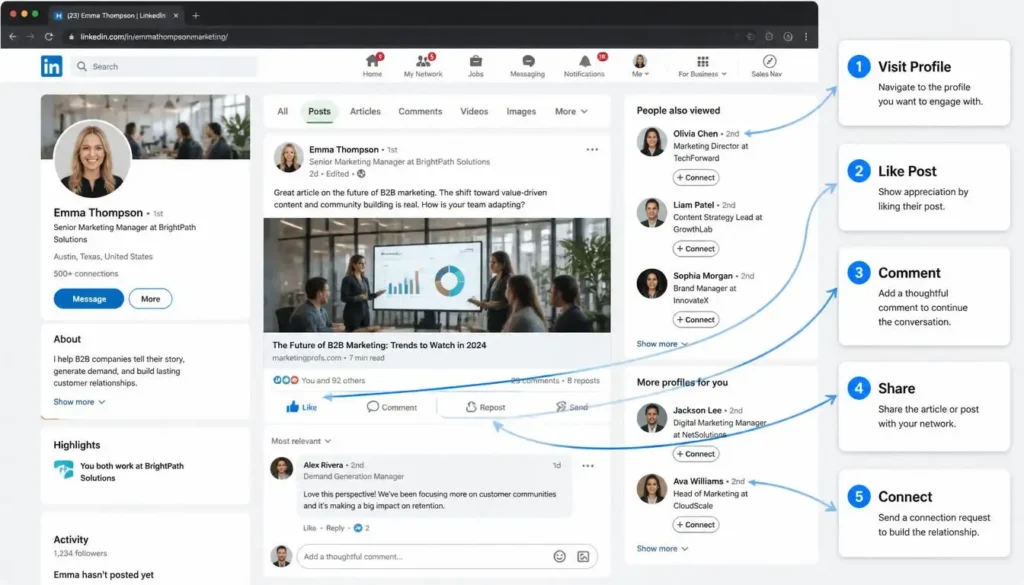
Before sending a connection request, visit the person’s profile and like a few of their posts. Leave a thoughtful comment. Even repost one of their articles to your own feed.
When you visit someone’s profile, they may see your name in their “Who Viewed Your Profile” section – as long as you are not browsing in private mode. This alone is enough to make your name familiar before your connection request arrives.
If you also engage with their content over a few days, by the time your connection request lands in their inbox, they will already recognize your name. That familiarity dramatically increases the chance they will accept.
Warm-up sequence: Visit profile → Like a post → Leave a comment → Repost if relevant → Send connection request a few days later.
What should your warm-up timeline look like?
On the first day, visit their profile and like a post.
On the second or third day, leave a thoughtful comment, don’t just say “Great post,” write something meaningful.
On the fourth or fifth day, if you liked one of their articles, repost it to your feed.
On the sixth or seventh day, send a connection request with a personalized message. This sequence makes your name already familiar to them, and the acceptance rate improves significantly.
Message First (LinkedIn Premium)
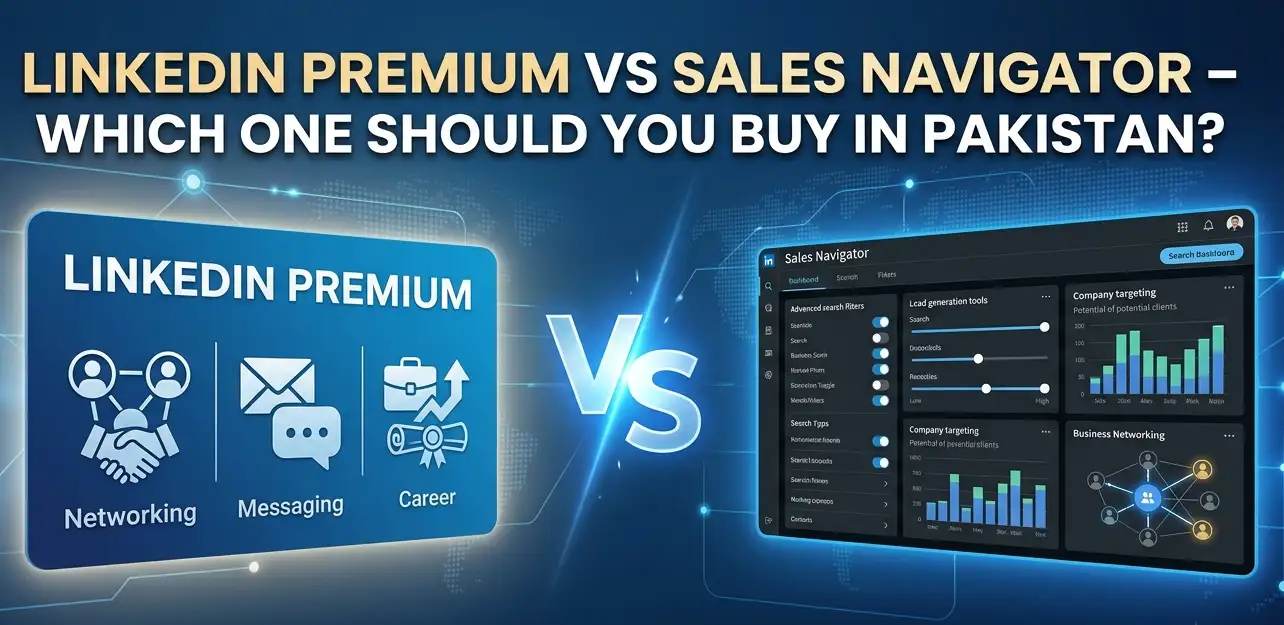
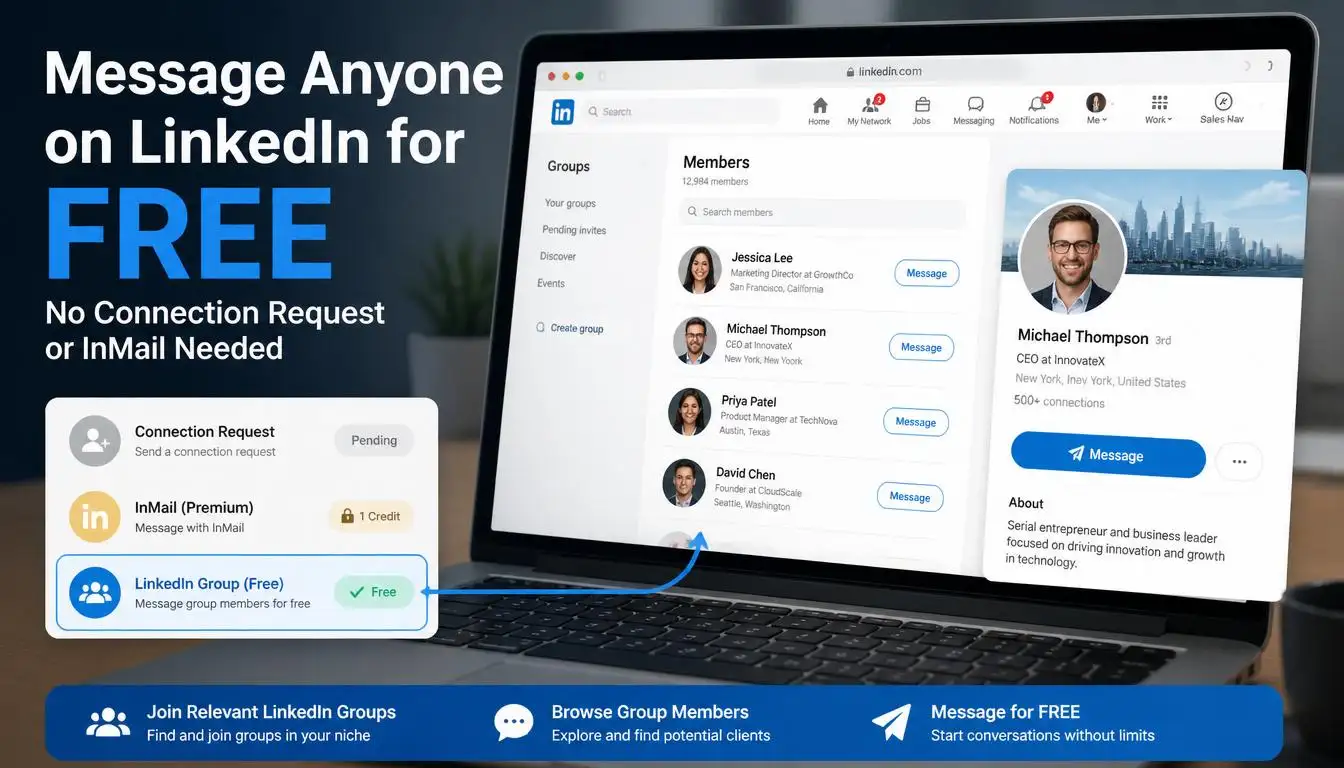
If you have LinkedIn Premium, you can send a short InMail message before sending a connection request. Introduce yourself, mention why you want to connect, and then follow up with the invitation. This two-step approach leads to much higher acceptance rates.
On a free account, this is not available, but the engage-then-connect approach described above achieves a similar effect.
Send Targeted Connection Requests
Do not connect with everyone randomly. Choose people who are actually relevant to your field, niche, or professional goals. For example, if you are a cybersecurity expert, connect with others in cybersecurity, information security recruiters, and tech decision-makers. If you work in marketing, target brand managers, content strategists, and CMOs in your industry.
A simple way to find targeted people is to use LinkedIn’s search filters. You can filter by industry, job title, location, and company size. This helps you build a list of high-quality prospects before you even start sending requests.
Relevant connections accept more often because there is a clear mutual benefit. A focused network also performs better long-term, your posts reach the right audience, your opportunities improve, and your profile gains more visibility within your niche.
How Many Connection Requests Should You Send Per Week?
One of the biggest mistakes people make is sending too many requests too fast. LinkedIn now enforces weekly limits, not daily, and monitors unusual activity closely. Based on community data:
| Account Type | Recommended Weekly Limit | Notes |
|---|---|---|
| Free Account | 80–100 requests/week | Stay under 80 for safety |
| LinkedIn Premium | Up to 100–150/week | Depends on SSI score & activity |
| Sales Navigator | Up to 200/week | For active sales professionals |
Stay safe: Start slow, especially on newer accounts. Keep your acceptance rate above 30% by targeting relevant people. LinkedIn may restrict your account if too many requests go unanswered. Always check LinkedIn’s official Help Center for the latest guidelines.
Note: LinkedIn does not publicly publish exact connection request limits. The figures above are widely recommended safe thresholds based on community experience and are subject to change.
Common Mistakes People Make
The first mistake is that people send more than 50 requests in a single day; their LinkedIn account gets restricted.
The second mistake is not clearing pending requests for months, which exhausts the weekly limit.
The third mistake is connecting with completely random people: no relevance, no common ground, the acceptance rate is very low.
The fourth mistake is that profiles are incomplete, and people check the profiles after seeing the requests, but ignore the incomplete ones.
Optimize Your LinkedIn Profile Before Sending Requests
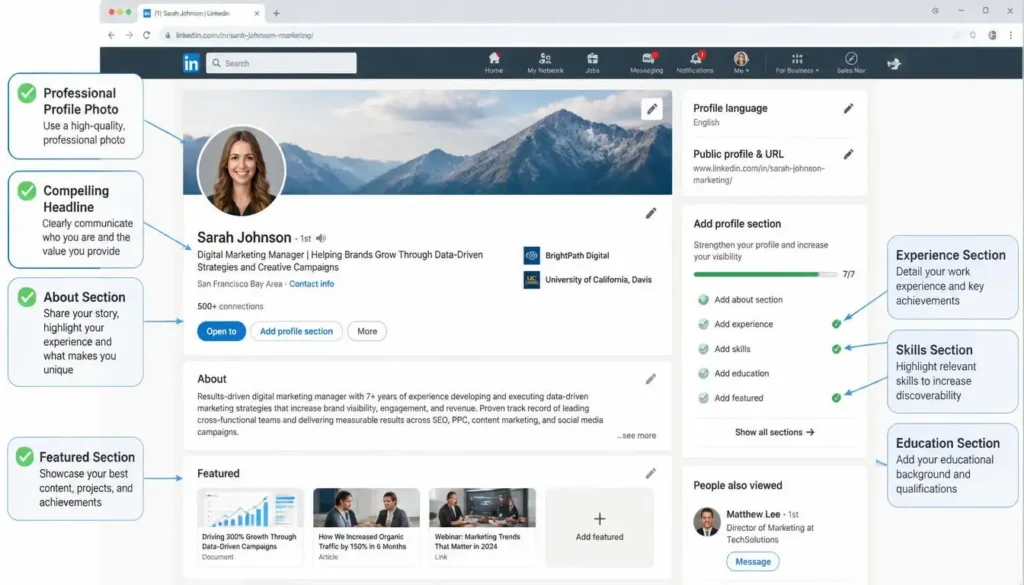
Your profile is the first thing people see when they receive your connection request. If your profile looks incomplete or unprofessional, people will ignore your request regardless of how well-crafted your message is.
Here is a quick checklist for a well-optimized LinkedIn profile:
- Use a professional, clear profile photo. Avoid casual or blurry images.
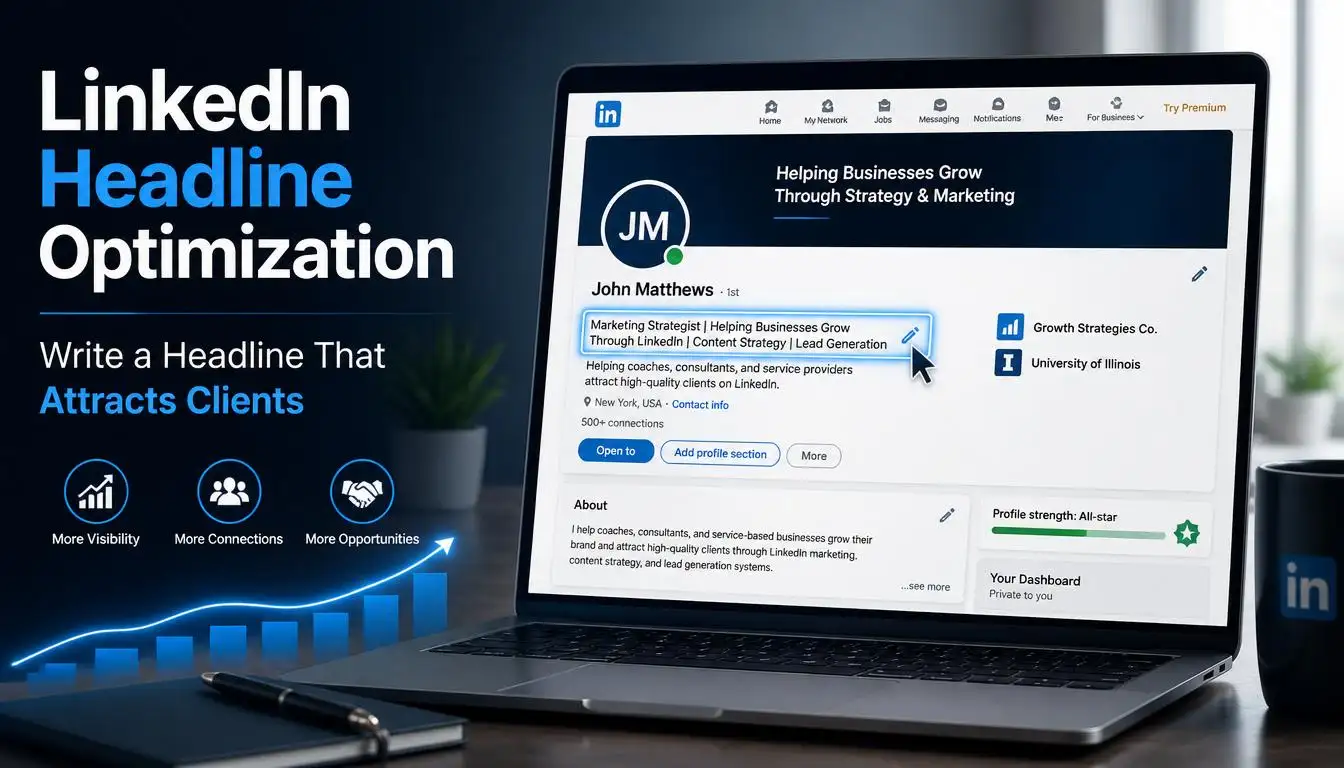
- Write a compelling headline that clearly explains what you do and who you help.
- Add your current company or organization and your educational background.
- List your relevant skills in the Skills section.
- Fill in your About section with a concise, engaging summary of your professional story.
For a complete walkthrough, see our LinkedIn profile setup and optimization guide.
A complete, professional-looking profile builds immediate credibility and makes people far more likely to accept your request.
Leverage Mutual Connections
LinkedIn’s algorithm and its users both favor connection requests from people who share mutual connections. If you already have a first-degree connection in common with someone, your request will feel much less like an approach from a stranger.
LinkedIn shows connections in three degrees: first-degree, second-degree, and third-degree connections. The closer you are in the network, the more likely your request will be accepted, so when you are choosing who to send requests to, prioritize second-degree connections over complete strangers in your first outreach efforts.
FAQS
Can I resend a withdrawn request?
Yes, but do so after a few weeks. Sending again within a week is considered spam.
What should I do if no one is accepting?
First, check your profile. is it complete? Then, check your message. is it personalized? If both are correct, target simple and relevant people.
Is it necessary to have more than 500 connections on LinkedIn?
Not necessarily, but having more than 500 makes a profile look credible and people trust it more.
Can a good network be built even with a free account?
Absolutely, just a little more hard work and patience. Things get done faster with Premium but everything is possible with free too.
Conclusion
Building a strong LinkedIn network takes patience and strategy. Withdraw unanswered requests after seven days, warm up profiles before connecting, and always send a personalized note. Small, consistent actions compound over time. Start applying these steps today and you will begin to see your acceptance rate improve within weeks.